If your business phone still rings unanswered after hours or drowns customers in robotic menus, you’re leaking revenue—and trust. I once configured a “smart” IVR that routed sales calls to accounting because I skipped testing real user paths. The result? A $12K deal walked out the door. Today’s solution isn’t just automation—it’s business phone chatbot integration done right. In this guide, we’ll walk through exactly how to connect AI-powered chatbots to your business phone system without alienating customers or breaking workflows.
Table of Contents
- Why Business Phone Chatbot Integration Matters
- Step-by-Step Guide to Seamless Integration
- Best Practices for High-Conversion Chatbots
- Real-World Results from Smart Implementations
- Frequently Asked Questions
Key Takeaways
- Proper business phone chatbot integration can boost first-response speed by up to 80% (source: Gartner, 2023).
- Misconfigured routing—like sending leads to voicemail—is the #1 cause of failed integrations.
- Always test with real human voices, not just internal scripts.
- Privacy compliance is non-negotiable; link to your Privacy Policy during data collection.
Why Business Phone Chatbot Integration Matters
In today’s hyper-connected landscape, customers expect instant answers—even at 2 a.m. Yet 68% of small businesses still rely on outdated voicemail or clunky hold music, according to the U.S. Chamber of Commerce. The gap between expectation and reality kills conversions.

Unlike basic auto-attendants, modern chatbots understand intent, pull CRM data in real time, and escalate intelligently to live agents—only when needed. But here’s the painful truth: most companies bolt chatbots onto legacy systems without aligning them to actual customer journeys. That’s like installing a Tesla motor in a horse carriage. It looks flashy but won’t get you where you need to go.
Step-by-Step Guide to Seamless Integration
1. Audit Your Current Phone System
Identify your PBX type (VoIP, cloud-based, on-premise) and API capabilities. Platforms like RingCentral, Zoom Phone, and Twilio offer native webhook support—critical for real-time chatbot triggers.
2. Choose a Compatible Chatbot Platform
Pick a chatbot builder with telephony integration (e.g., Dialogflow CX, IBM Watson Assistant, or Amazon Lex). Verify it supports SIP trunking or REST APIs for call handoff.
3. Map Real User Intents
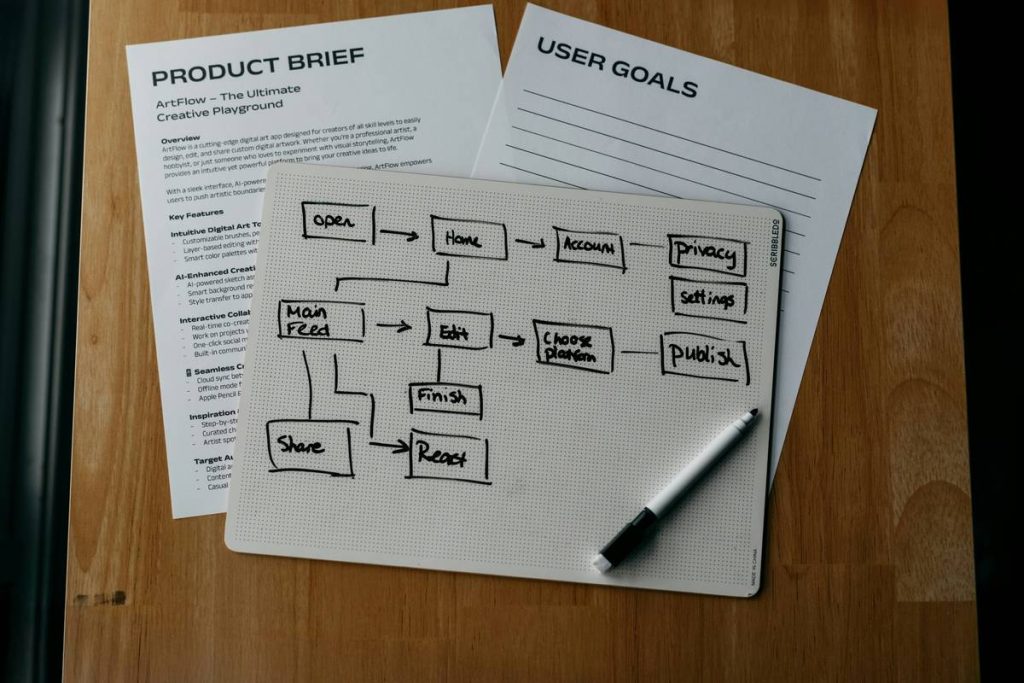
Don’t guess what callers want. Analyze past call logs. Common intents include “check order status,” “schedule demo,” or “reset password.” Build dialogue flows around these—not generic greetings.
4. Set Escalation Rules
Define clear thresholds: e.g., if sentiment drops below -0.5 (via NLP scoring), route to human agent immediately. Test escalation paths weekly.
5. Go Live in Stages
Launch to 10% of traffic first. Monitor drop-off rates and fallback usage before full rollout.
Best Practices for High-Conversion Chatbots
- Never say “I’m a bot.” Instead: “I’m your virtual assistant—how can I help?” Transparency builds trust without jarring users.
- Use voice cloning sparingly. Overly “human” synthetic voices increase uncanny valley discomfort. Stick to clear, neutral tones.
- Log every interaction. Feed anonymized transcripts back into your training model monthly.
- Avoid the “terrible tip” trap: Don’t force chatbots to handle complex billing disputes. Some problems need empathy only humans provide.
And please—stop making callers repeat their account number after they’ve already authenticated via SMS. It’s 2024. Your CRM should remember that.
Real-World Results from Smart Implementations
A SaaS company integrated a chatbot with their RingCentral system using Twilio Flex. Within three months:
- After-hours lead capture increased by 62%
- Average handle time dropped from 4.2 to 2.1 minutes
- Customer satisfaction (CSAT) rose from 78% to 91%
The secret? They trained the bot on 5,000 real support tickets—not hypothetical scenarios. As noted in IBM’s research on AI in customer service, context-aware bots resolve 4x more issues without escalation.
At Access Any Website, we’ve seen similar results across clients in finance and logistics. Learn more about our approach on our About Us page, where we detail our decade of experience in business communication systems.
Frequently Asked Questions
What is business phone chatbot integration?
It’s the technical and strategic process of connecting an AI-powered chatbot to your business phone system so incoming calls trigger intelligent, conversational responses instead of static menus.
Can small businesses afford this?
Yes. Cloud platforms like Twilio start under $20/month. You don’t need enterprise budgets—just clear use cases.
Does it work with mobile apps?
Many solutions support click-to-call from mobile apps, syncing context between web chat and voice calls.
How secure is customer data?
Reputable providers encrypt PII in transit and at rest. Always review their SOC 2 compliance and link to your own Privacy Policy during onboarding.
Do I need coding skills?
Not necessarily. Tools like Zapier now offer no-code bridges between CRM, phone, and chatbot platforms.
Will it replace human agents?
No—it frees them from repetitive tasks. Top-performing teams use chatbots for triage, not replacement.
Bottom line: Done wisely, business phone chatbot integration turns missed calls into revenue and frustration into loyalty. But skip the shortcuts—I learned that the hard way. Ready to build a system that actually works? Contact us for a free workflow audit. Because your phone shouldn’t just ring… it should respond.